Flexbox, short for Flexible Box Layout, is a modern layout model in CSS that makes it easy to design flexible, responsive layouts without using floats or positioning tricks. Whether you’re building a navbar, a card layout, or a mobile-first design, Flexbox is a must-know tool for web developers.
In this guide, you’ll learn everything about Flexbox — from syntax to real-world examples.
What is Flexbox?
Flexbox is a one-dimensional layout system, meaning it deals with layout in a single direction at a time — either as a row or a column.
✅ Use Flexbox for:
- Aligning items horizontally or vertically
- Creating space between elements
- Reordering items without changing the HTML
- Building responsive components
Flexbox Container vs. Items
When using Flexbox, you need two main parts:
- Flex container: the parent element
- Flex items: the direct children of the container
Example :
HTML:
<div class="flex-container">
  <div class="item">One</div>
  <div class="item">Two</div>
  <div class="item">Three</div>
</div>
CSS:
.flex-container {
  display: flex;
}
Main Properties of Flex Container
1. display: flex;
Turns the container into a Flexbox layout.
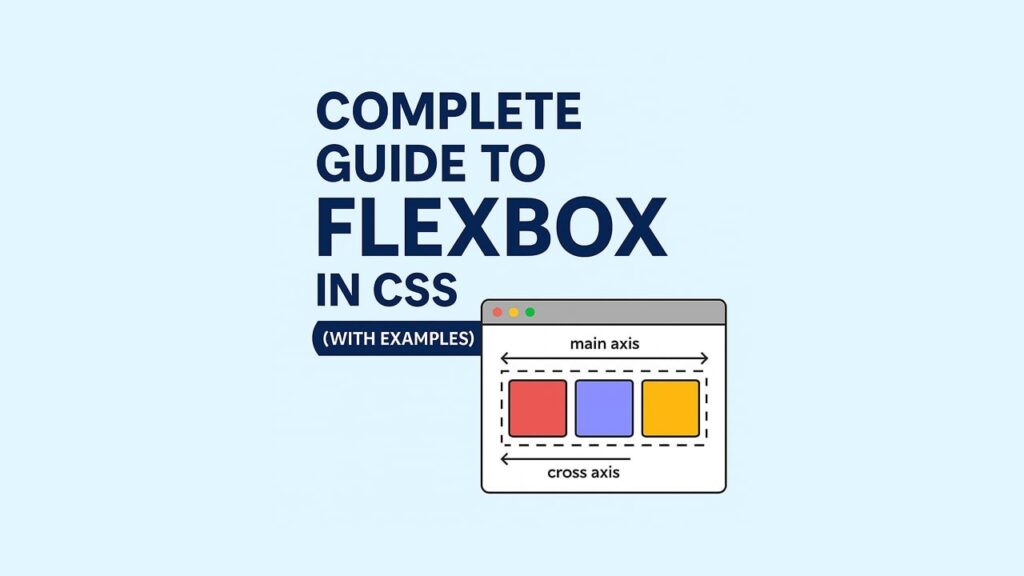
2. flex-direction
Defines the direction of main axis.
| Value | Description |
|---|---|
row | (default) Left to right |
row-reverse | Right to left |
column | Top to bottom |
column-reverse | Bottom to top |
css example:
.flex-container {
  flex-direction: row; /* horizontal layout */
}
3. justify-content
Controls horizontal alignment (main axis).
| Value | Result |
|---|---|
flex-start | Items align to the left |
flex-end | Items align to the right |
center | Items center horizontally |
space-between | Equal space between items |
space-around | Equal space around items |
space-evenly | Equal spacing everywhere |
.flex-container {
  justify-content: center;
}
4. align-items
Controls vertical alignment (cross axis).
| Value | Description |
|---|---|
stretch | (default) Fills height |
flex-start | Aligns items to top |
flex-end | Aligns items to bottom |
center | Vertically centers |
baseline | Aligns based on text baseline |
css example :
.flex-container {
  align-items: center;
}
5. flex-wrap
By default, all items are in one line. Use this to wrap them.
.flex-container {
  flex-wrap: wrap;
}
Combine with :
.flex-container {
  flex-direction: row;
  flex-wrap: wrap;
}

/* or shorthand: */
.flex-container {
  flex-flow: row wrap;
}
Flex Item Properties
1. flex-grow
How much a flex item can grow relative to others.
.item {
  flex-grow: 1;
}
2. flex-shrink
How items shrink if the container is too small.
.item {
  flex-shrink: 1;
}
3. flex-basis
Initial size of the item before space distribution.
.item {
  flex-basis: 200px;
}
Combined Shorthand:
.item {
  flex: 1 0 200px; /* grow, shrink, basis */
}
4. align-self
Overrides align-items for a specific item.
.item {
  align-self: flex-end;
}
Responsive Layout Example Using Flexbox
<div class="flex-container">
  <div class="box">Box 1</div>
  <div class="box">Box 2</div>
  <div class="box">Box 3</div>
</div>
.flex-container {
  display: flex;
  flex-wrap: wrap;
  justify-content: space-around;
}

.box {
  flex: 1 1 250px;
  margin: 10px;
  background: #f1f1f1;
  padding: 20px;
  border-radius: 8px;
}
This layout:
- Is responsive
- Auto-wraps on small screens
- Adjusts box sizes dynamically
Common Flexbox Use Cases
- Centering a loader or button
- Navbar with logo on left and menu on right
- Equal-height cards
- Split-screen layout
- Footer alignment
Centering with Flexbox (Most Googled!)
Horizontally & Vertically center any element:
css:
.center {
  display: flex;
  justify-content: center;
  align-items: center;
  height: 100vh;
}
<div class="center">
  <h1>Hello, world!</h1>
</div>
Flexbox Gotchas
| Mistake | Fix |
|---|---|
margin: auto not working | Set a fixed width/height |
| Items not wrapping | Add flex-wrap: wrap |
| Items collapsing | Use flex-basis or min-width |
Quick Flexbox Cheatsheet
display: flex;
flex-direction: row | column;
justify-content: flex-start | center | space-between;
align-items: stretch | center;
flex-wrap: wrap;
flex: grow shrink basis;
align-self: auto | flex-start | center;
This is all about Flexbox if you have any question comment below. Thanks